
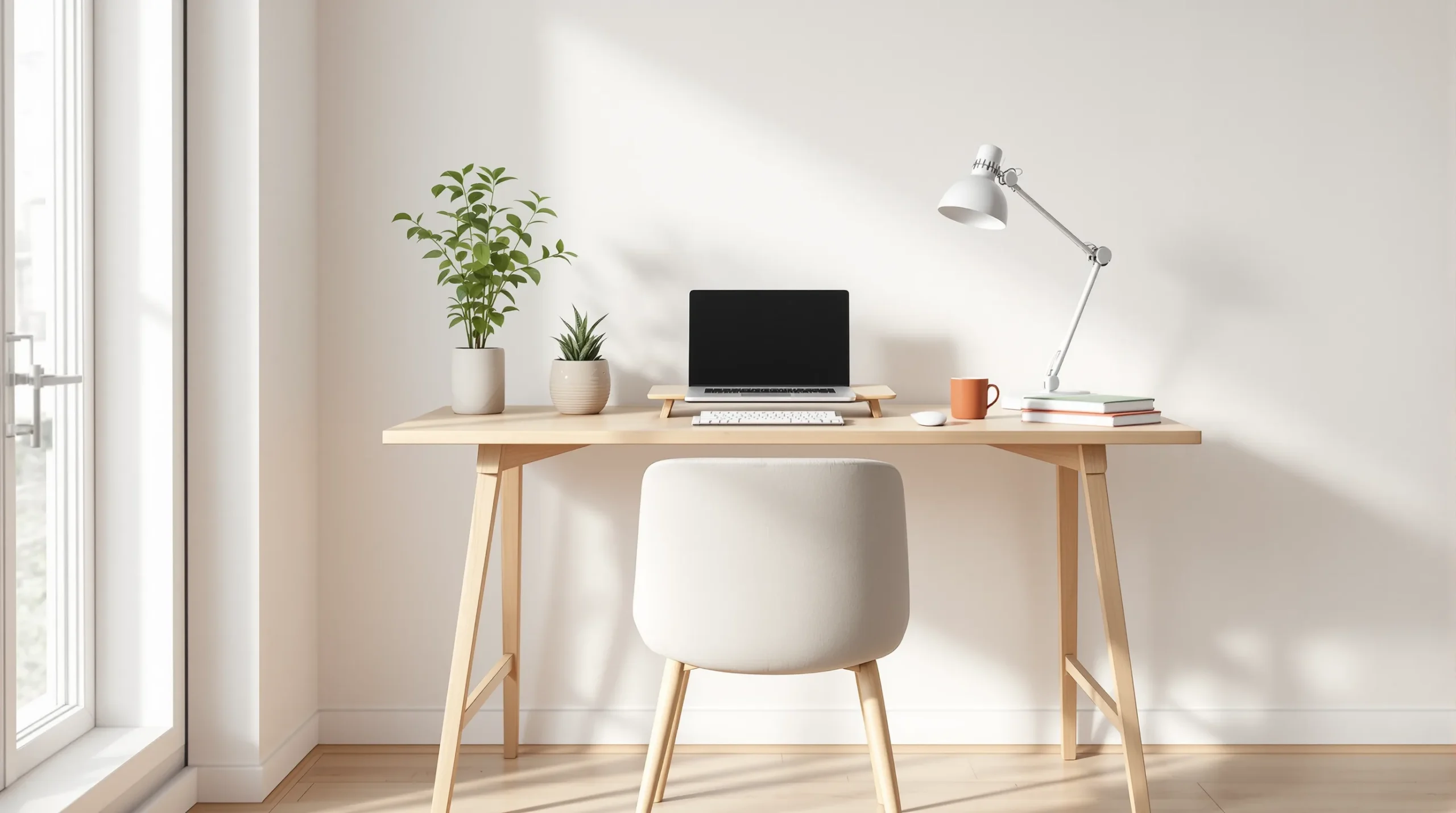
Small Home Office Ideas: 24 Ways for a Tiny Apartment
You don’t need a spare room to work from home — you need about 24 inches. That’s the depth it takes to sit a monitor a healthy distance from your eyes, and once you know that number, the whole problem changes: instead of hunting for an office, you’re hunting for the right 24 inches, and a small apartment has more of those than you’d think. This guide gives you 24 small home office ideas built for a rental: where the desk actually goes when there’s no office room, the handful of ergonomic numbers that keep your back and neck happy, and a full setup you can build without drilling a single hole. Everything here is reversible, budget-friendly, and sized for real small spaces.
Key Takeaways
- You don’t need a room — you need about 24 inches of depth, enough to sit a monitor at arm’s length. Pick your desk spot by the space you can spare.
- The cheat sheet: a ~29-inch desk, the top of the screen at eye level, and the monitor about an arm’s length away (OSHA; Cornell).
- The cheapest fix for laptop hunch is a laptop riser plus a separate keyboard (~$30) — it beats buying a new desk.
- Keep it renter-safe: clamp-on monitor arm and lamp, tension or leaning shelving, nothing drilled — plus a shutdown ritual so your apartment isn’t an office at night.
Small home office ideas: get the desk numbers right (1–5)
Before the where, the how. Get these few measurements right and even a tiny corner works; get them wrong and the nicest desk in the world will wreck your neck. None of these are laws — they’re ergonomics best practice from the people who study it — but they’re the difference between working comfortably and aching by lunch.
1. Get the desk height right — about 29 inches
A work surface should sit roughly 28 to 30 inches off the floor (Cornell University Ergonomics), which is why 29 inches is the fixed height of almost every desk you’ll buy. Here’s the part nobody tells you: that 29-inch standard is built for a body around 5 feet 10. If you’re shorter, a standard desk is slightly too tall, and the fix isn’t a new desk — it’s a footrest under your feet or a keyboard tray under the top, so your elbows still land level.
2. Put the top of the screen at eye level
The single most common small-space mistake is working off a laptop flat on the desk, which drags your head down and forward all day. The top of your screen should sit at about eye level, so your gaze falls slightly downward to the center (OSHA). On a laptop that’s impossible without help — which is exactly what idea 5 fixes.
3. Sit about an arm’s length from the screen
Your monitor should be roughly an arm’s length away — raise your arm and your fingertips should just brush the screen, which lands most people in the 20-to-40-inch range (OSHA; CCOHS). Herman Miller’s designers use an even simpler rule: your monitor’s width is about your viewing distance — a 24-inch screen wants to sit about 24 inches away (Herman Miller). This is why desk depth matters so much in a small space: you need around 24 inches of it to put a monitor at that distance. Keep this number in your pocket — it decides which of the spots below can actually take a monitor.
4. Aim for 90 degrees at the elbows — but don’t sit like a soldier
With your hands on the keyboard, your elbows should be bent to roughly a right angle and your feet flat on the floor (CCOHS). “Roughly” is the operative word — comfortable is anywhere from about 90 to 120 degrees, and Cornell’s ergonomists actually recommend leaning back into a slight recline of 100 to 110 degrees rather than sitting bolt upright. So relax; the rigid 90-90-90 pose you’ve seen in diagrams isn’t the goal.
5. The $30 fix for laptop hunch
If you take one thing from this article, take this: a laptop riser plus a separate keyboard is the cheapest, highest-impact upgrade you can make. The riser lifts the screen up toward eye level (number 2), and the external keyboard drops your hands back down to elbow height (number 4) — solving the two worst laptop problems at once for about the price of lunch out. In a small space it’s also tidy: the riser gives you a shelf underneath for a notebook or a hard drive.
Where the desk goes when there’s no office room (6–13)
Now the fun part. Stop looking for a desk you like and start looking for the space you can spare — then check its depth against that 24-inch rule. Here’s the whole menu, roughly from most to least renter-friendly.
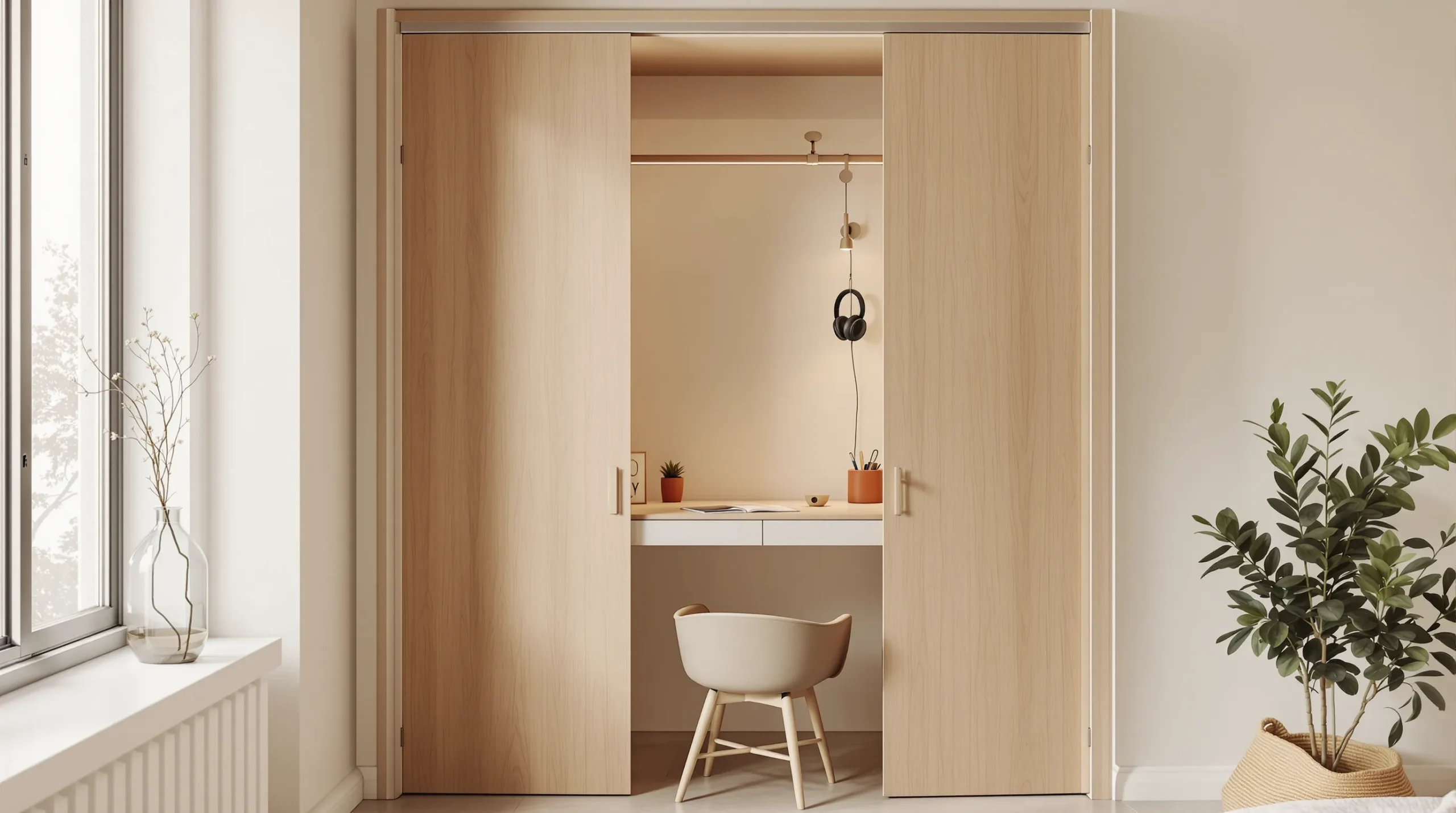
6. The cloffice — a closet becomes an office
The best-kept secret in small-space work is that a standard reach-in closet is often about 24 inches deep — the exact depth you need for a real monitor setup. Pull out the lower rod, drop in a freestanding desk or a lean-in shelf, add a clamp light (closets have no window), and you’ve got an office with a door you can literally close on work at 5pm. Keep the doors: they’re your off-switch.
7. The dead corner — an L-desk earns its keep
A corner is usually wasted space, and a small L-shaped or corner desk banks the most surface for the least floor. Just remember the depth rule at the corner itself, where two shallow sides meet — keep the monitor on the deeper leg so it still sits an arm’s length away.
8. An alcove or bump-out
Older apartments hide these — a recess beside a chimney breast, a gap between two closets, a bumped-out window wall. A freestanding desk cut to the width of the recess turns dead architecture into a built-in-looking nook, with a leaning shelf above for storage.
9. A fold-down desk that vanishes daily
When the room genuinely has no spare footprint, a wall-mounted drop-leaf desk folds flat to a few inches when you’re done. One honest caveat for renters: most fold-down desks need wall anchors, so check your lease first. The no-drill alternatives that give you the same disappear-at-night trick are a freestanding secretary desk that closes up, or a drop-leaf top added to a bookshelf you already own.
10. The foot of the bed
If the bedroom is your only option, a narrow console or writing desk along the foot of the bed is a classic move. Watch the depth, though — these run shallow (around 18 inches), which is fine for a laptop but too tight for a monitor at arm’s length unless you add a clamp arm to push the screen back. For the rest of the bedroom around it, our small bedroom ideas guide handles the storage and layout.
11. Behind the sofa
Float the sofa a few inches off the wall and a console-height desk slots in behind it, doubling as a sofa table when you’re off the clock. Console depth (14 to 18 inches) makes this a laptop-only zone unless you clamp on a monitor arm — but as a tuck-away spot in a living room it’s hard to beat. See our small living room ideas for arranging the sofa to make room.
12. The desk as a room divider
In a studio, the desk can do double duty as the wall you don’t have. Float it (with a low open shelf behind it) to carve a work zone out of the living space, so “the office” has an edge even though the room doesn’t. This is really a zoning move — our studio apartment layout guide covers dividing one room into several.
13. The rolling cart or the dining table
Two spots for when there’s truly no surface to spare. A rolling cart holds a laptop and a few supplies and wheels into a closet at day’s end — the ultimate studio shutdown. Or go double-duty on the dining table with a tray or caddy that lifts the whole setup off in one motion at mealtime, so dinner never happens on a keyboard.
Build a no-drill office (14–18)
You can build a complete, good-looking setup without a single hole in the wall. The trick is to clamp and lean instead of mount.
14. Clamp the monitor to the desk, not the wall
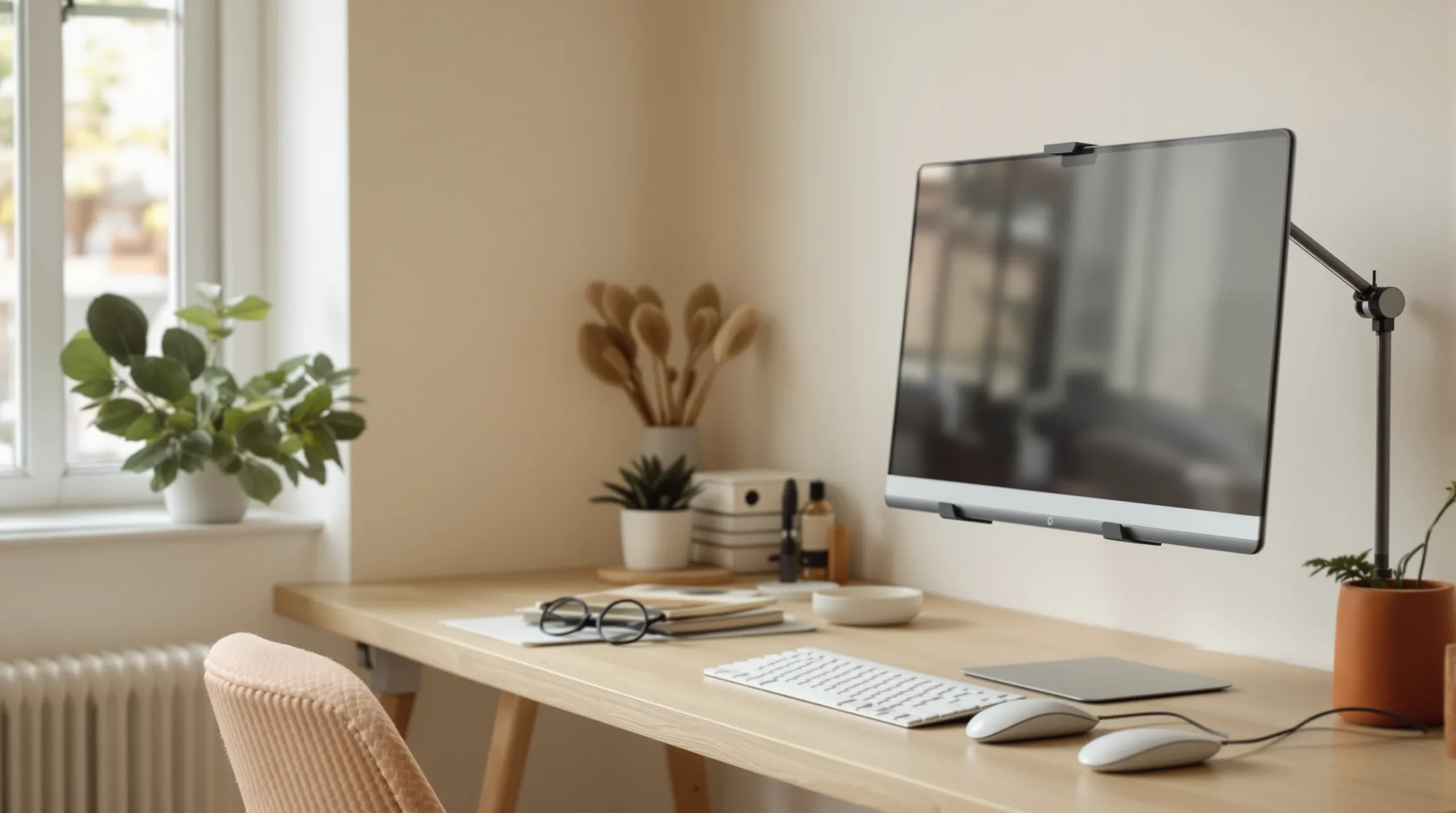
A desk-clamp monitor arm is the renter’s best friend: it grips the back edge of the desk, floats the screen to exactly eye level, and pushes it back to arm’s length — solving two ergonomic numbers and freeing the desktop underneath, all with zero wall damage.
15. Clamp on the task light too
A clamp-on desk lamp does for light what the arm does for the screen — no fixing required, and it’s essential in a windowless cloffice. Position it to the side so it doesn’t glare off the screen.
16. Lean the storage instead of hanging it
A leaning ladder shelf or a pegboard propped against the wall gives you vertical storage with no anchors. Tension-rod shelving works inside a cloffice or an alcove. Everything comes down clean at move-out.
17. Manage cables without wrecking the paint
Skip the adhesive clips that peel paint off on the way out. Use a cable tray that clamps under the desk, hook-and-loop ties to bundle the slack, and route everything down one desk leg so the setup reads calm, not tangled.
18. Keep the storage freestanding
A small rolling drawer unit under or beside the desk holds everything a filing cabinet would, and rolls away when you need the floor. The rule for the whole setup: if it needs an anchor, check with your landlord first — and reach for the freestanding version whenever there is one.
Separate work from life in one room (19–21)
The hardest part of a small-space office isn’t fitting the desk — it’s not living inside your job. In one room, you have to build the boundary yourself.
19. Zone the work area
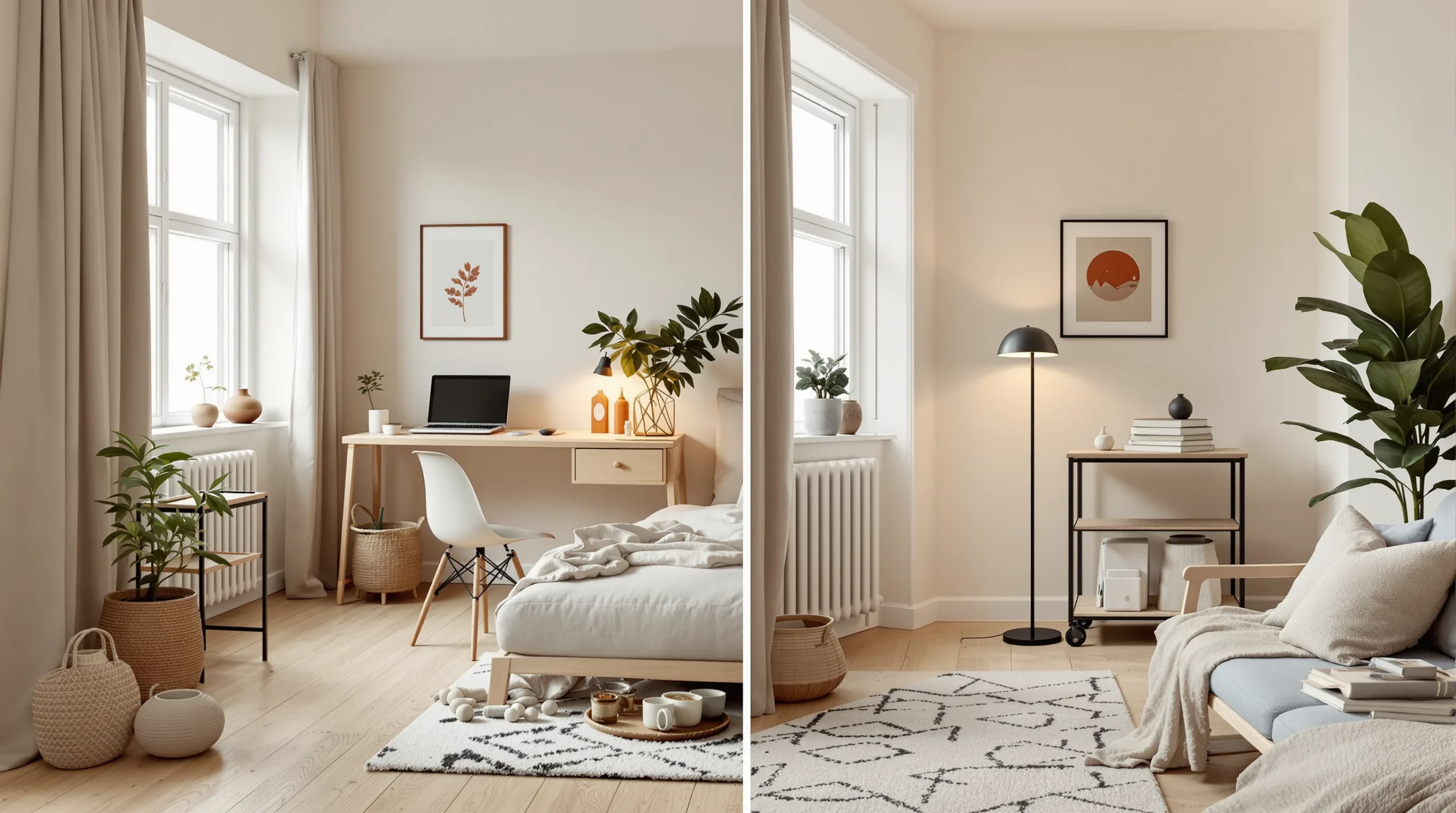
Give the desk its own patch: a small rug underneath, one task light that’s only on while you work, the desk floated as a divider. A defined work zone tells your brain where the job starts and stops, even without a door.
20. Give work a visual off-switch
The most underrated small-office feature is the ability to make the office disappear. Close the cloffice doors, fold the drop-leaf flat, wheel the cart away, or draw a curtain or screen across the corner. When you can’t see work, you stop thinking about it.
21. Run a shutdown ritual
In my own studio, the whole office lived on a rolling cart, and the best thing I ever did was give it a closing routine: laptop and charger into one canvas caddy, the cool desk lamp off, the warm floor lamp on, cart rolled into the closet. Ninety seconds, and the room stopped being an office and went back to being home — which, in a studio, is the difference between resting and just sitting next to your job. Build your own version of that sequence; the ritual matters more than the exact steps. (For more on splitting one room into zones, see our studio apartment layout guide.)
Light it right — and look good on calls (22–24)
Light does two jobs at a small desk: it keeps you alert while you work, and it decides whether you look like a person or a shadow on video.
22. Warm room, cooler desk
Your bedroom wants warm, low light to wind down — but a work desk is the one place a cooler, more neutral task light earns its keep, because brighter, cooler daytime light supports alertness while warm, low-blue light in the evening helps you switch off (scientific consensus on lighting and circadian rhythm, 2023). Think of it as a switch: cool task light on during work, warm lamp on after — the change itself becomes a cue.
23. Don’t sit with a window behind you
The number one video-call mistake in a small apartment is putting the desk with your back to the window, which turns you into a silhouette. Face the light instead. A small, soft fill light at eye level in front of you beats any ring light behind you, and natural daylight from the front is best of all.
24. Dim the ambient at night
When work’s done, drop the room’s overall light. Dim ambient light in the evening is both cozier and a genuine signal to your body that the day is over — which pairs perfectly with the shutdown ritual and stops the apartment from feeling like a 24/7 office.
Small-home-office mistakes to avoid
- Buying the desk before measuring the depth — a beautiful desk too shallow for a monitor is a laptop stand you overpaid for.
- Leaving the monitor too low — the laptop hunch is the fastest way to a sore neck; raise the screen.
- Sitting backlit on calls — face the light, or you’re a shadow.
- Drilling before you ask — check the lease; there’s a no-drill version of almost everything here.
- No off-switch — if you can always see the desk, you never really clock out. Build a way to hide it.
Frequently asked questions
How do I set up a home office in a small apartment?
Start by finding about 24 inches of depth — enough to sit a monitor at arm’s length — anywhere you can spare it: a closet, a corner, behind the sofa, or the foot of the bed. Then get the three numbers right (a ~29-inch desk, the screen top at eye level, the monitor an arm’s length away), and build it with clamp-on and freestanding pieces so nothing’s drilled.
How high should a desk be?
About 29 inches, the standard fixed height, which suits a body around 5 feet 10. If you’re shorter, don’t buy a different desk — add a footrest and a keyboard tray so your elbows still sit at roughly a right angle.
How far should I sit from my monitor?
Roughly an arm’s length — raise your arm and your fingertips should just reach the screen, which puts most people 20 to 40 inches away, with the top of the screen at about eye level. A handy shortcut: your monitor’s width is about your ideal viewing distance.
Where do I put a desk when there’s no office room?
Pick by the depth you can spare: a closet (a “cloffice,” often the perfect ~24 inches deep), a dead corner, an alcove, a fold-down wall desk, the foot of the bed, behind the sofa, or the desk itself as a studio room divider. Shallow spots like consoles are laptop-only unless you add a clamp-on monitor arm.
How do I make a renter home office without drilling?
Clamp instead of mount: a desk-clamp monitor arm and a clamp-on lamp, tension-rod or leaning shelves, freestanding storage, and cable management that ties rather than sticks. Save wall-mounted desks and shelves for after you’ve checked your lease.
How do I stop my studio from feeling like an office?
Give work a visual off-switch — close the cloffice, fold the desk, or roll the cart away — zone the desk with a rug and its own light, and run a short shutdown ritual at day’s end. When work disappears from view, the room becomes home again.
The right 24 inches
A small home office isn’t about square footage — it’s about finding the right two feet of depth and setting it up well. Pick your spot by the space you can spare, get the three numbers right (29-inch desk, screen at eye level, monitor at arm’s length), build it clamp-on and drill-free, and give yourself a way to shut it all down at night. Do that and a corner of a rental works as well as a room — without costing you your deposit or your evenings.
Measure your best 24 inches this weekend and start there. Then grab the free small-space checklist for the desk-setup shopping list, and save the layouts from our Small Home Office Setups board. Setting up the rest of the apartment? See studio apartment layout and small living room ideas.
Written by Nourddine, founder of Calm Square Feet, where he shares warm-minimalist, renter-friendly ideas for small apartments and studios. [More about me → /about].
Sources
- OSHA, Computer Workstations eTool — Monitors, retrieved 2026-07-06, https://www.osha.gov/etools/computer-workstations/components/monitors
- Cornell University Ergonomics (CUergo), Ergonomic Guidelines for Computer Workstations, retrieved 2026-07-06, https://www.ergo.human.cornell.edu/ergoguide.html
- CCOHS, Positioning the Monitor, retrieved 2026-07-06, https://www.ccohs.ca/oshanswers/ergonomics/office/monitor_positioning.html
- CCOHS, Working in a Sitting Position — Basic Requirements, retrieved 2026-07-06, https://www.ccohs.ca/oshanswers/ergonomics/sitting/sitting_basic.html
- Herman Miller, Ergonomic Home Office Guide, retrieved 2026-07-06, https://store.hermanmiller.com/features-buying-guides-ergonomic-home-office.html
- Brown et al., Lights should support circadian rhythms: evidence-based scientific consensus, Frontiers in Photonics, 2023, https://www.frontiersin.org/journals/photonics/articles/10.3389/fphot.2023.1272934/full